

Contact support
How to reach Relivo support by email or support ticket, and where to check whether Relivo is running normally.
Email support@relivoapp.com or open a support ticket in Relivo. A real person answers every message.
Email support
Write to support@relivoapp.com from the email address you sign in with, so we can find your account. Say what you were doing, what happened and what you expected.
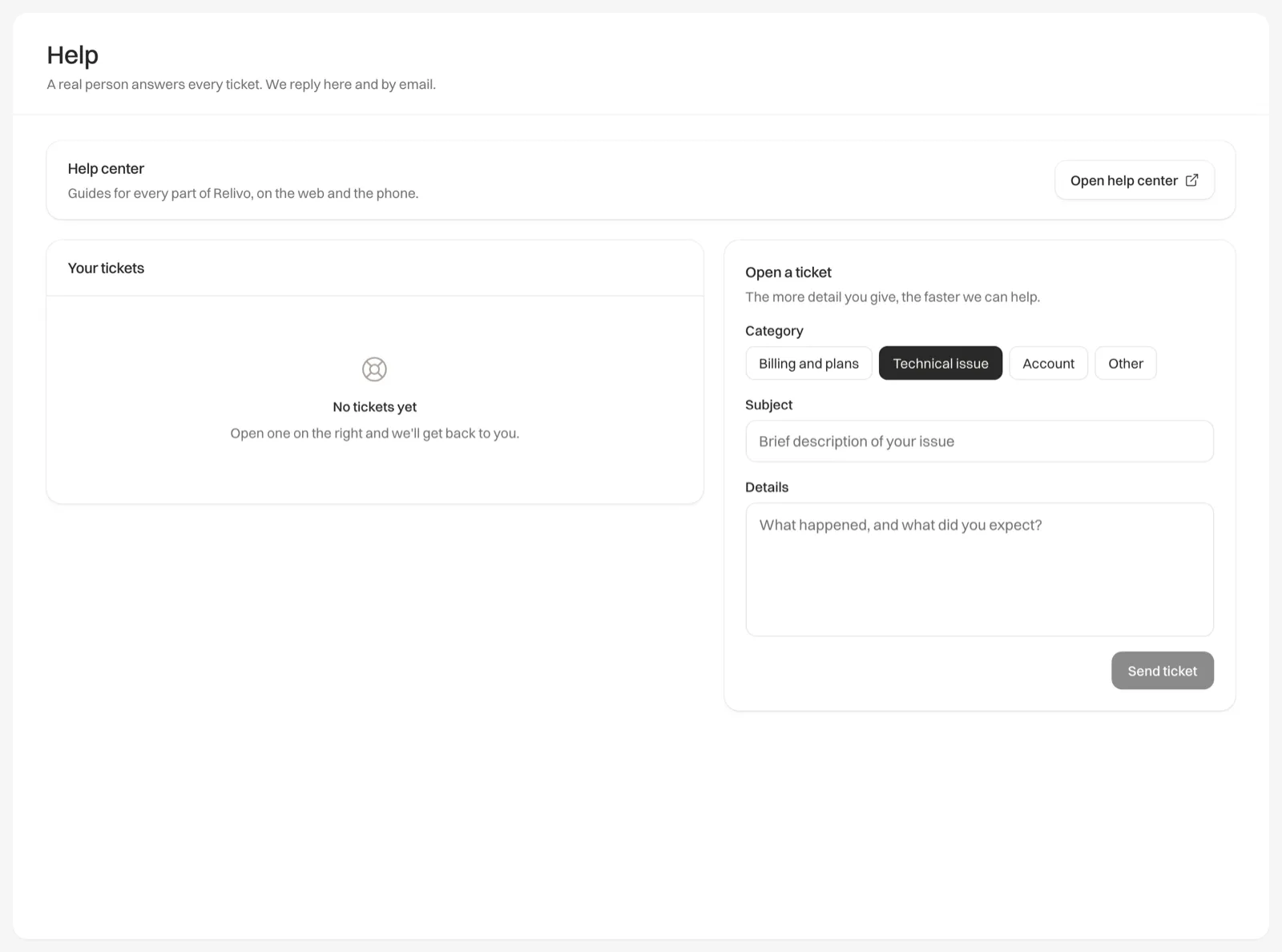
Open a support ticket
Open Help
In Relivo on the web, click Help in the sidebar.
Choose a category
Under Open a ticket, pick a Category: Billing and plans, Technical issue, Account or Other.
Describe the problem
Add a Subject and the Details, then click Send ticket. The more detail you give, the faster we can help.
The ticket opens on its own page. Every ticket you have opened is listed under Your tickets on the Help page, with its status.
Follow a ticket
Open the ticket from Your tickets to read our replies. To answer, type in Write a reply and click Send reply, or press ⌘ Enter (Ctrl Enter on Windows).
Each ticket shows where it stands:
| Status | What it means |
|---|---|
| New | We haven’t replied yet |
| Open | We are working on it |
| Pending | We have replied and are waiting to hear from you. Your reply moves it back to Open |
| On Hold | Paused for now. We pick it up again when we can move it forward |
| Resolved | We think it is sorted. You can still reply if it isn’t |
| Closed | Finished. You can’t reply to a closed ticket, so open a new one |
Problem solved before we answered? Click Close ticket at the top of the ticket.
Check the service status
If Relivo isn’t loading or something has stopped working for everyone, status.relivoapp.com shows whether there is a known problem and when it was fixed.
Company details
SiteonWP LLC, trading as Relivo
1209 Mountain Road Place Northeast, STE N
Albuquerque, NM 87110
United States