

The contact preview
Check someone, log what happened or reply to them from the preview panel, without leaving your list.
Click anyone on Contacts or Leads to open their preview on the right of the screen. To open their full record in a new tab instead, hold ⌘ on a Mac or Ctrl on Windows and click their name.
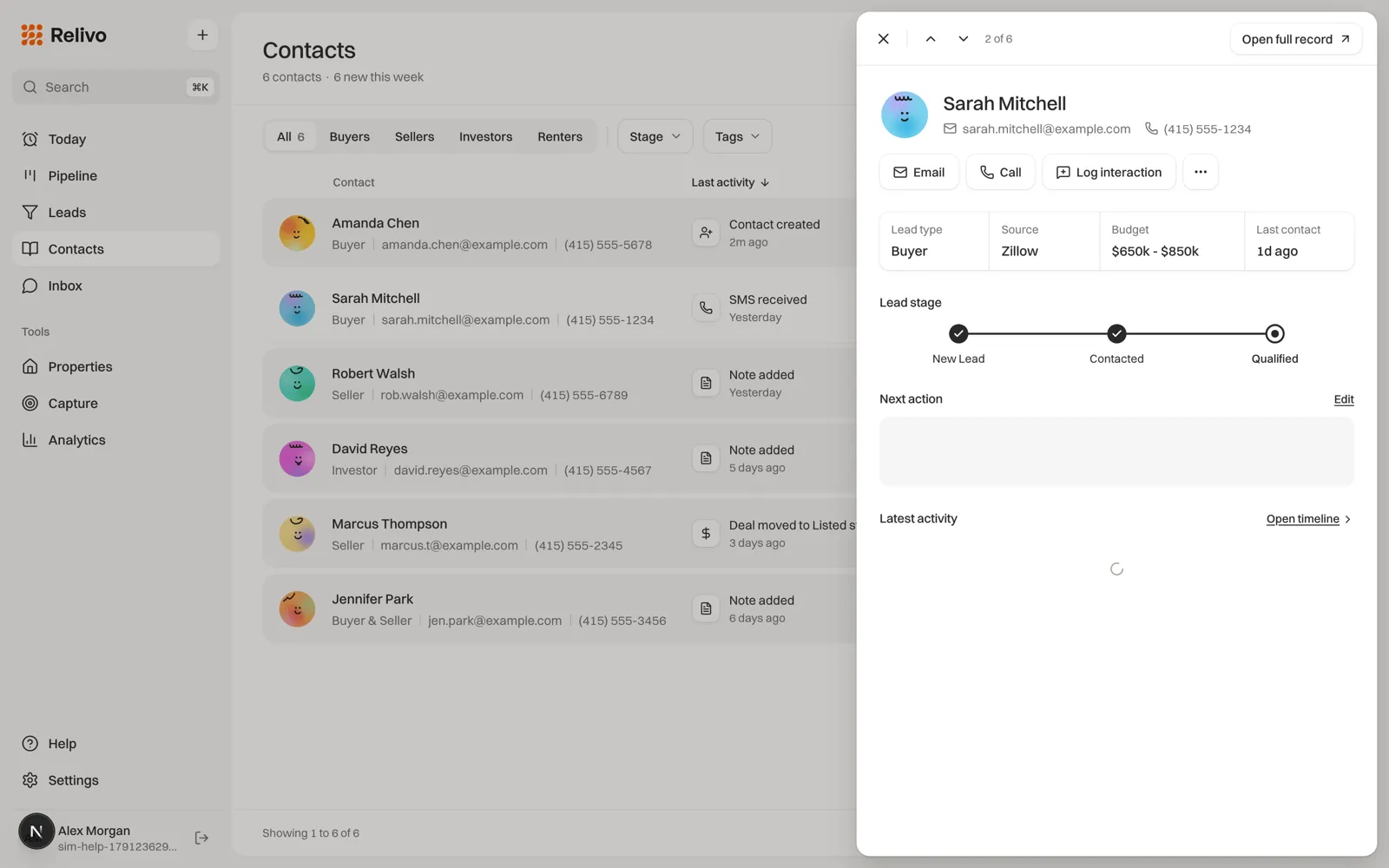
What’s in it
- Their name, email and phone, with Email, Call and Log interaction. Email shows when they have an email address and Call when they have a phone number. Call hands the number to your computer’s or phone’s calling app.
- Lead type, Source, Budget and Last contact.
- Lead stage, with how long they have been at it.
- Deals, if they have any. Click one to open it.
- Next action: their next open task. Click the circle to mark it done, or Set one if there isn’t one.
- Latest activity: the last three things that happened. Open timeline shows everything.
- A reply box at the bottom, once you have exchanged an email with them. It answers the latest one.
Move through your list
Go to the next person
Use the up and down arrows at the top of the preview, or the up and down arrow keys. The preview follows your list as filtered and sorted, across pages, and shows where you are, such as “3 of 48”.
Open the full record
Click Open full record for the timeline, notes, tasks and everything else.
Close it
Press Esc, click the X, or click outside the preview.