

How Buying and Selling deals work
A deal tracks one purchase or one sale for a contact, on its own list of stages, apart from the contact's lead stage.
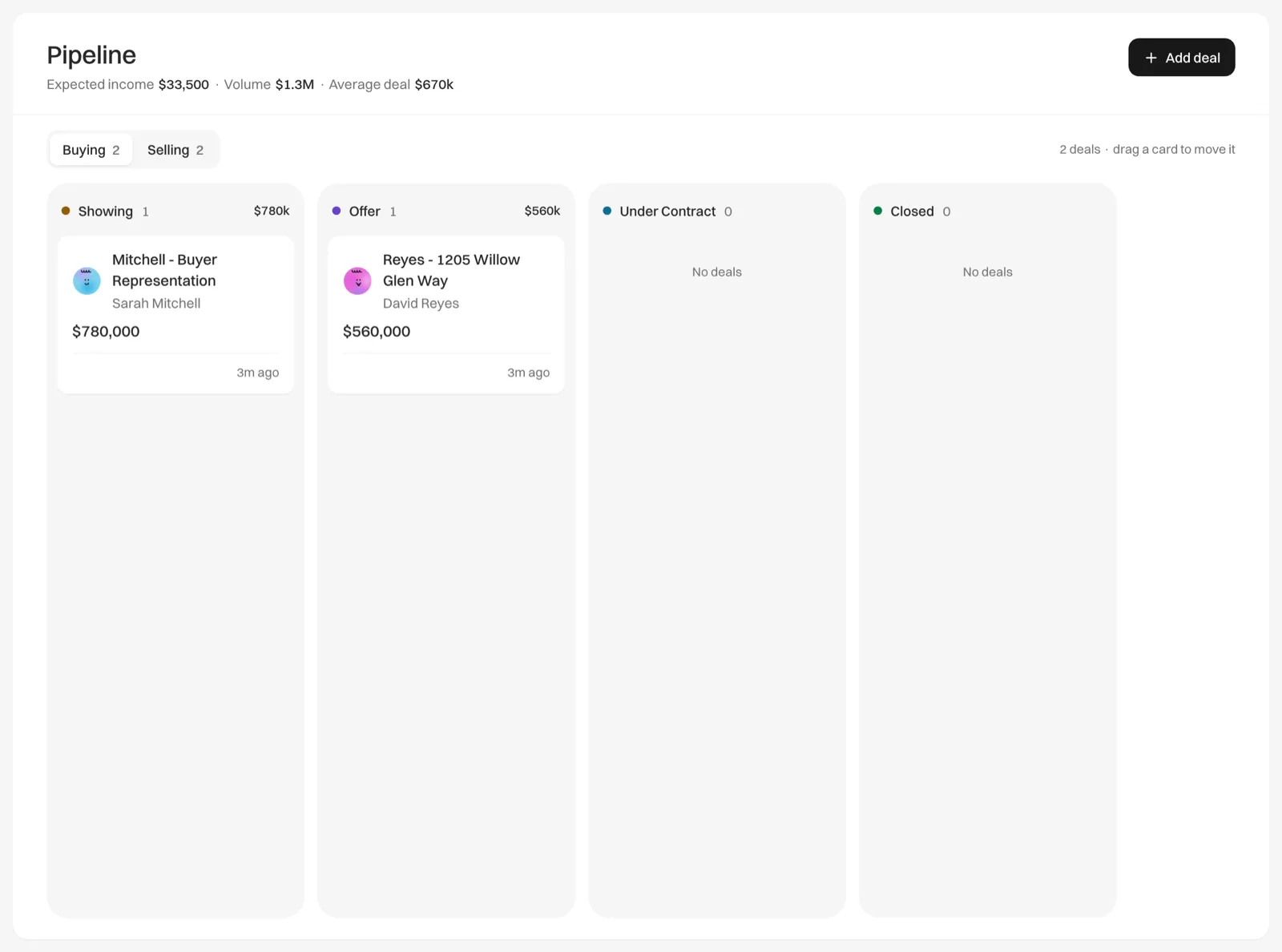
Every deal is either a purchase you help a buyer make (Buying) or a sale you handle for a seller (Selling), and each side has its own four stages.
The two sides
| Side | Stages, in order |
|---|---|
| Buying | Showing, Offer, Under Contract, Closed |
| Selling | Listing appointment, Listed, Under Contract, Closed |
Pipeline shows one side at a time. Switch with Buying and Selling at the top of the board. Each one shows how many deals it holds.
You can rename any stage, but you can’t add, remove or reorder them. See Rename your deal stages.
Lead stages and deals are separate
- A contact has a lead stage: New Lead, Contacted or Qualified. It tracks how far along you are in winning them, and you change it on the contact’s page.
- A deal tracks the work after that. It moves through its own side’s stages.
Moving a contact’s lead stage never moves their deals, and moving a deal never changes the contact’s lead stage.
Once someone has a deal, they are a client: they no longer appear on Leads, and Today keeps watching them so they don’t go quiet.
One contact, several deals
A client who sells one home and buys the next has two deals, one on each side, and each moves on its own.
Lists of contacts show the open deal closest to closing, such as “Buying · Offer”, with a gray count such as “+1” for their other open deals. When a contact has no open deal, lists show their latest closed deal, and otherwise their lead stage.
Where deals come from
- Add deal on Pipeline, or on a contact’s page. See Add a deal.
- Adding a seller to a listing starts their Selling deal. See How listings and Selling deals stay in step.
- An import from Follow Up Boss adds a deal for each new person whose Follow Up Boss stage shows they are already a client, such as a showing, offer, listing or under contract stage. See Import and export.