

Which mailbox should I connect?
Gmail, Outlook / Microsoft 365 or IMAP. All three send from your real address; they differ in how much email comes back into Relivo.
Connect Outlook / Microsoft 365 if you use it, and Other provider (IMAP / SMTP) for anything else, including a Google address, if you want your clients’ replies to appear in Relivo. Gmail is the quickest to connect, but it is Send only.
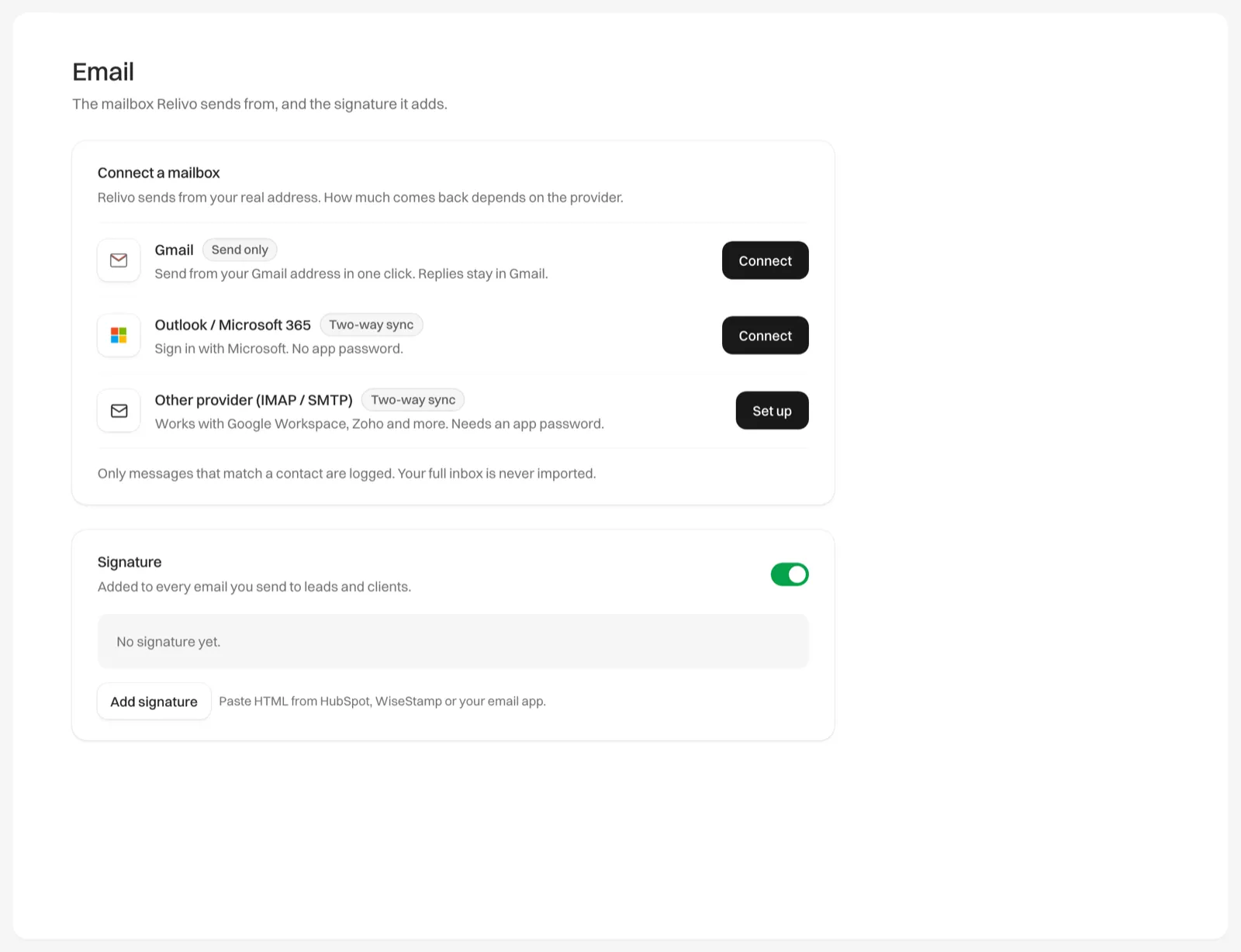
The three options
You choose in Settings > Email, under Connect a mailbox, or in the Connect your email step when you first sign up.
| Option | Badge | What comes back into Relivo |
|---|---|---|
| Gmail | Send only | Nothing. Replies stay in your Gmail inbox and aren’t logged. |
| Outlook / Microsoft 365 | Two-way sync | Email to and from your contacts, including mail you send from Outlook itself. |
| Other provider (IMAP / SMTP) | Two-way sync | The same as Outlook. Works with Google Workspace, Zoho, Yahoo and most other providers. |
All three send from your own email address, so clients see your name and address, and their replies go to your normal inbox.
How to choose
- If you use Outlook or Microsoft 365, choose Outlook / Microsoft 365. You sign in with Microsoft and don’t need an app password.
- If you use Gmail or Google Workspace and want replies in Relivo, choose Other provider (IMAP / SMTP) and use a Google app password.
- If you use Gmail and only want to send, choose Gmail. It takes one click, and you keep reading replies in Gmail.
- If you use Yahoo, Zoho or another provider, choose Other provider (IMAP / SMTP).
With two-way sync, Relivo logs only messages to or from people who are already your contacts. Your full inbox is never imported.
If you don’t connect a mailbox, you can still email contacts from Relivo. The email goes from a Relivo address with your name on it, and replies come back into Relivo.